Best AI Face Swap and Talking Photo Tools of 2026
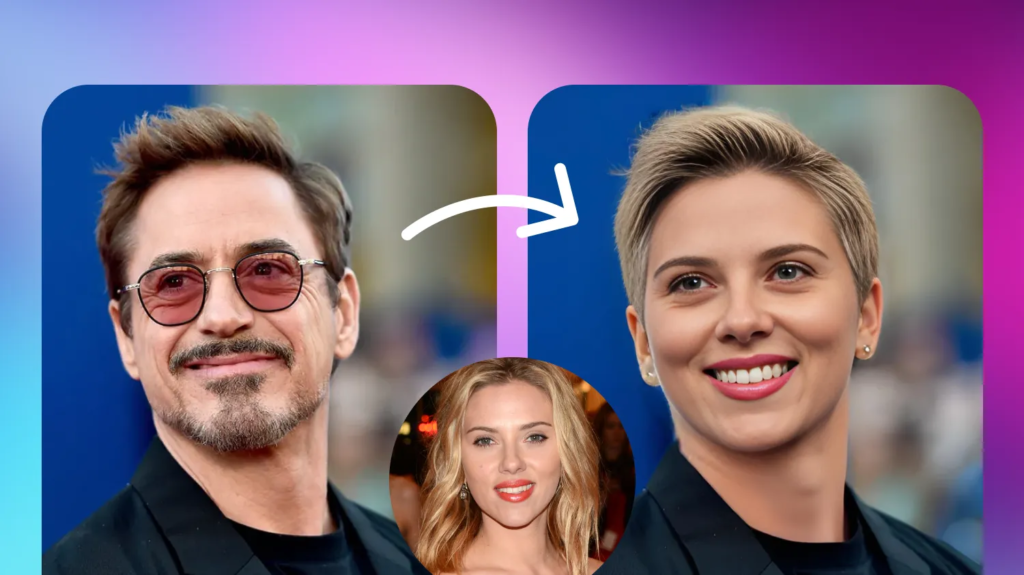
AI face swap and talking photo generators have moved from novelty apps to genuine production tools. Creators use them to build short-form video content, marketers use them for personalized ads, and everyday users use them to animate old family photos or drop themselves into a favorite scene. But the market is crowded, and quality, pricing, and reliability vary enormously from one tool to the next.
We tested and researched a shortlist of the most talked-about platforms in 2026, looking closely at output quality, pricing transparency, ease of use, and how well each tool handles both face swapping and talking photo animation. Below is our ranked list, starting with the tool that impressed us most overall.
At a Glance
| Tool | Best For | Starting Price | Standout Feature |
| Magic Hour | Overall face swap & talking photo quality | Free (paid from ~$12/mo billed annually) | No signup required, credits never expire |
| DeepSwap | Quick face swaps on video | Free (paid from $19/mo) | Simple drag-and-drop swap editor |
| Vidnoz AI | Budget-friendly talking avatars | Free (paid from $9.99/mo) | Large avatar and voice library |
| Reface | Mobile face-swap memes and GIFs | Free (paid from $7.99/mo) | Huge template and meme library |
| D-ID | Business talking-head videos | Free trial (paid from $18/mo) | Strong enterprise/API support |
1. Magic Hour — Best Magic Hour Face Swap AI and Talking Photo AI Free Tool
Magic Hour tops our list because it does something few competitors manage: it delivers professional-grade results across face swap, lip sync, and talking photos in a single platform, without forcing you to sign up just to try it. As a Magic Hour face swap AI and talking photo ai free tool, it lets you upload a photo and generate a natural, lip-synced talking video in minutes, and the face swap engine holds up even with tricky lighting or side angles.
What sets Magic Hour apart isn’t just output quality, though that’s consistently among the best we tested. It’s the overall experience:
- No signup required to try — you can test the tool before committing to an account.
- Credits never expire, so occasional users aren’t penalized for not logging in every month.
- Access to frontier AI models across face swap, video, image, and audio, all updated with weekly feature releases.
- Click-to-create templates and one-click multi-step workflows (generate → upscale → video) that remove the need to stitch together separate tools.
- Fast variations and multiple takes, plus parallel generations with no concurrency cap on higher plans, which matters a lot when you’re iterating on a creative idea.
- Consistent performance during traffic spikes and live activations, and founder-level support that actually responds.
- Full API parity, so anything you can do in the app, you can automate through the API.
Pricing (billed monthly, with annual discounts):
- Free — no credit card required, includes daily free credits and access to core tools.
- Creator — $19/month, or $12/month billed annually ($144/year), includes 144,000 credits/year, 1024px exports, watermark-free downloads, and full API access.
- Pro — $39/month, or $25/month billed annually ($300/year), includes 300,000 credits/year, higher-resolution 1472px exports, and priority queue.
- Business — $99/month, or $66/month billed annually ($792/year), includes 840,000 credits/year, 4K exports, and unlimited concurrent generations.
At roughly $12–25/month on the annual plans, Magic Hour is one of the stronger value propositions in this space, especially given the breadth of tools bundled into one subscription. The only real drawback is that the sheer number of tools and templates can feel like a lot to explore at first, though the click-to-create templates make onboarding fairly painless.
2. DeepSwap
DeepSwap is built around a straightforward video face-swap workflow: upload a source clip, choose a target face, and let the engine process the swap. It’s popular for meme content and quick social clips.
Pricing: Free tier with watermark and limited resolution; paid plans start around $19/month for watermark-free, higher-resolution exports.
Main features: Drag-and-drop editor, multi-face detection, GIF and video support.
Drawbacks: Talking photo and lip-sync capabilities are limited compared to dedicated platforms, and processing times can lag during peak hours.
3. Vidnoz AI
Vidnoz leans into AI avatars and talking photo generation, offering a large library of pre-built avatars and voices alongside custom photo animation.
Pricing: Free plan with basic limits; paid plans start around $9.99/month.
Main features: Large avatar/voice library, script-to-video, multilingual voiceovers.
Drawbacks: Face swap quality is inconsistent on complex images, and some advanced features are locked behind higher tiers than advertised.
4. Reface
Reface built its reputation on mobile-first face swapping for memes, GIFs, and short clips, with a massive template library tied to trending content.
Pricing: Free with limited swaps; subscription starts around $7.99/month for unlimited swaps.
Main features: Enormous meme/template catalog, fast mobile app, social sharing built in.
Drawbacks: Not designed for longer-form video or professional talking photo work; output resolution is capped lower than competitors.
5. D-ID
D-ID is positioned toward business use cases, particularly talking-head videos for training, marketing, and customer support content, with a strong developer-facing API.
Pricing: Free trial credits; paid plans start around $18/month, with custom enterprise pricing available.
Main features: Realistic talking-head generation, robust API and integrations, multilingual support.
Drawbacks: Pricing climbs quickly for higher usage, and the interface is more geared toward developers than casual creators.
How We Chose These Tools
We evaluated each platform on five factors: output quality (how natural the face swap or talking photo animation looks), pricing transparency (whether advertised prices matched what we experienced at checkout), ease of use, breadth of features (face swap, lip sync, talking photo, and beyond), and real-world reliability, including how each tool performed under load and how responsive support was when something went wrong. We prioritized tools with active development and recent feature updates, since AI video and photo tools evolve quickly and outdated engines fall behind fast.
FAQs
Is Magic Hour really free to use? Yes. Magic Hour offers a free tier with no signup required to try core features, plus daily free credits, and credits on paid plans never expire.
Which tool is best for talking photo animation specifically? Magic Hour and Vidnoz AI both handle talking photo generation well, but Magic Hour’s lip-sync accuracy and one-click workflow give it the edge for most users.
Do these tools require technical skills? No. All five tools in this list are designed for non-technical users, though D-ID’s API tools are aimed more at developers building custom integrations.
Can I use AI face swap tools for commercial projects? Most platforms, including Magic Hour, offer commercial usage rights on paid plans. Free tiers are typically limited to personal, non-commercial use.
How much should I expect to pay monthly? Budget tools start under $10/month, while mid-tier plans with more credits and higher resolution typically fall in the $12–$40/month range, depending on usage.
Conclusion
If you’re choosing a single tool to handle face swap and talking photo creation in 2026, Magic Hour is the strongest all-around pick thanks to its quality, generous free tier, and straightforward pricing. That said, DeepSwap, Vidnoz AI, Reface, and D-ID each serve specific niches well, from meme-making to enterprise talking-head videos. The right choice ultimately comes down to how much you plan to create, and whether you need a dedicated tool or a broader creative platform.